


The quiet exit
They didn't complain. They didn't come back either.
Most customers who have a bad visit never tell you. They leave quietly, and that is the last you see of them.
Business ratings, managed by QR
Make the customer experience visible. Capture feedback, make the Google review screen easy to reach, and manage your online reputation branch by branch.
Built for businesses
How it works
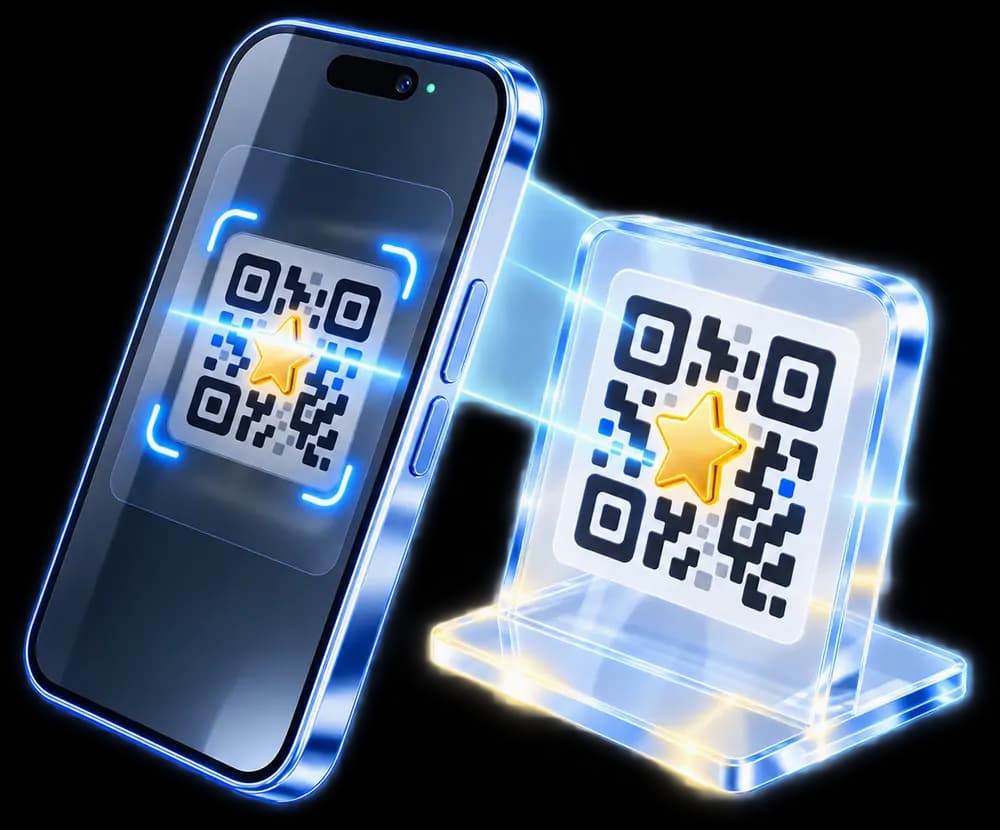
No app to download, no device to install, and nothing for the customer to sign up for. All it takes is a QR code on display in your branch.
What your customer does
 The customer scansScans the branch's QR code with their phone.
 They give a ratingRates the visit in a single tap.
 They leave private feedbackWrites a private note to you, if they want to.
 Visible in your panelThe rating and any private feedback appear in your business panel.
 On to GoogleThe Google review screen is one step away.
What you do
Add the branch and confirm your Google business listing. KarePuan creates a QR code that belongs to that branch and never changes.
The code created for each branch is fixed, so print as many copies of it as you like and use them at different points inside the branch.
Customers can rate a visit in one tap. Ratings, private feedback and branch comparisons are collected in your panel.
Business panel


Overview · your business at a glance
4.8stars
Customers don’t compare ratings.They pick the higher one.
3.1stars
Why it matters
A reputation is built one visit at a time. Hearing about a visit while the customer is still in the room is far easier than making up for it afterwards.
The quiet exit
Most customers who have a bad visit never tell you. They leave quietly, and that is the last you see of them.
Too late to act
You usually find out once there is nothing left to fix. The visit you could have saved has already happened.
The branch gap
If you cannot see each branch on its own, you cannot tell which one the problem is coming from.
KarePuan closes all three gaps together: a one-tap rating, a private feedback option for customers who want it, and a clear branch-by-branch view. Easy access to the Google review screen saves customers from searching for your business page again. This supports your aim of improving the customer experience and protecting your online reputation. That is why KarePuan is not a nice-to-have.
Industries
Anywhere you deal with customers face to face the question is the same: what was it actually like? Where you put the code decides how many answers you get.
On the table, in the bill folder, by the till
At the mirror, on the reception desk
Waiting area, reception
Room desk, reception, breakfast room
By the till, in the fitting room
Entrance turnstile, front desk
Collection desk, waiting area
By the till, at the advice counter
Not on the list? KarePuan works branch by branch, not industry by industry. If there is a spot where your customer stops before leaving, that is the spot.
Features
Built to measure customer experience, surface problems early and give your team clear branch-level information to act on.
Customers can reach the Google review screen without searching for your business again, making the next step easier.
Every branch gets one QR code that does not change. The same printed material remains valid while the subscription is active.
PNG, SVG and print-ready A6, A5 and 70 mm PDF. Print as many of your own as you want, with no limit on quantity.
A customer's private note is visible only to the team members you authorise. It is never published publicly.
Track feedback as new, contacted, in progress or resolved. The panel records who handled it and what was done.
Daily, weekly and monthly trends, branches side by side, and a CSV export when you need one.
Give a branch manager their own branch and nothing else. A user with no assignment sees no branch data at all.
Customers see the rating screen in their own language, while the branch QR code stays the same.
Pricing
KarePuan is an annual subscription priced per branch, excluding VAT. Creating an account is free; an annual subscription activates each branch QR code.
1 branch · annual subscription
₺5,000/ branch / year + VAT
Optional physical QR service
Print your QR file yourself, or leave production and delivery to KarePuan.
Frequently asked questions
No. Whatever rating a customer gives, the option to write a Google review is shown on screen, and KarePuan does not stop anyone from taking it. Customers who give a low rating are also offered the chance to leave private feedback for the business. That option appears alongside Google, not in place of it.
The rating screen does not ask the customer for a name, a surname, a phone number or an email address. A customer can write free text if they want to, and the screen advises them not to include private information they would rather not share.
No. Private feedback is seen only by the users you authorise. KarePuan does not publish it anywhere public, and it is not a review site.
A branch's QR code is permanent. It keeps working for as long as the subscription runs, so the material you printed stays valid. Each branch has its own code.
You can download each branch's print-ready files and have as many copies printed as you need, wherever you choose. You can also choose to have KarePuan prepare the physical QR product for you. This is an optional service charged separately from the annual subscription; product, price and delivery details are shown before you order.
Yes. Every branch has its own QR code and its own data. You can give team members only the branches they need, and stop a branch manager from seeing any other branch.
Signing up is free. Switching the QR code on needs an annual subscription: 5,000 TL for a single branch, or 4,500 TL per branch for two to four branches, both excluding VAT. From five branches the price is agreed individually. You can pay by card or bank transfer.
No. Google is an independent third party. KarePuan is not affiliated with or endorsed by Google LLC; it has no control over Google's rating, review and ranking processes and makes no commitment about their outcome.
Ready to start?